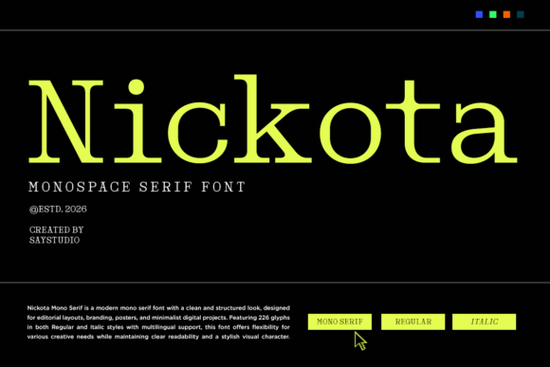
When you are working on a project that mixes technology with nostalgia, finding the right typeface can be tricky. Too often, standard sans-serifs feel too clean for a cyberpunk poster or a vintage keyboard aesthetic. You need something with weight and history but still legible at high speeds. This is where Nickota Font fits perfectly into your toolkit, offering a distinct blend of old-school typewriter rhythm and structured coding syntax. Whether you are crafting merchandise for a developer conference or setting up a startup dashboard, getting the texture right changes how users perceive your message.
Understanding the Monospaced Serif Aesthetic
Not every project calls for a sleek, invisible typeface. Sometimes, the visual language needs to convey precision, logic, or the tangible feeling of physical machinery. Nickota brings a modern take on classic typewriter mechanics. It combines the spacing rules of monospaced text, where every character takes up the same horizontal room, with the refined strokes of a serif family.
This hybrid approach creates a unique reading experience. On screen, it mimics the look of legacy computer terminals, which builds immediate trust with audiences familiar with software development or hacking culture. On paper, the slight serifs prevent the text from looking like basic bitmap code. Instead, it resembles a polished technical manual or an industrial label from the late twentieth century. For designers who need balance between rigidity and personality, this style fills a gap that pure geometric fonts often miss.
Ideas for Implementation Across Industries
The versatility of this typeface extends beyond simple headers. Here are several practical scenarios where it shines:
- Developer Merchandise: T-shirts and hoodies featuring code snippets benefit from the clarity of a monospaced style, ensuring the code remains readable even after printing.
- Tech Editorial: Articles discussing cybersecurity or software architecture can use this font for pull quotes to reinforce the theme without distracting from the body copy.
- UI Prototyping: Mockups for dashboards, terminal emulators, or settings menus gain authenticity when the interface font matches the actual backend logic presentation.
- Event Branding: Hackathon flyers and conference backdrops require high impact; the strong vertical lines of the font command attention effectively.
If you are selling these assets through a print-on-demand platform, consistency is key. The file formats included with the license typically allow for easy integration into vector tools like Adobe Illustrator or corelDraw. This ensures that your scalable graphics maintain sharp edges regardless of the size you choose for production. For those managing diverse client needs, having access to an unlimited mega bundle of fonts can simplify the procurement process. Instead of purchasing individual assets for every new brief, a consolidated collection allows you to experiment freely within the same subscription framework.
Balancing Style with Readability
While retro aesthetics are popular, they should never compromise the user experience. One common pitfall in graphic design is choosing a display font that sacrifices legibility for style. Because Nickota maintains its x-height and clear apertures, it remains readable at smaller point sizes compared to purely decorative scripts. This makes it viable for body text in niche contexts, such as instructional manuals or privacy policy screens where a tech vibe is desired.
However, mixing typefaces requires care. A heavy, decorative serif like this pairs well with a very light, thin sans-serif. The contrast highlights the technical nature of the serif while keeping navigation elements crisp. Conversely, if you find yourself needing softer, more traditional characteristics for adjacent layouts, checking out curated beautiful elegant serif fonts can provide excellent complementary pairings. The goal is harmony, where neither element overwhelms the other, creating a unified brand identity.
Purchasing and Licensing Considerations
Before integrating any commercial asset into a product you intend to sell, verifying the licensing terms is essential. Most fonts sold on marketplaces offer broad commercial rights, allowing you to use them in logos and merchandise sold physically. However, some restrictions exist regarding digital distribution or embedding in app software. Always review the specific end-user license agreement associated with the download package.
To explore further options and ensure you are getting the correct package version, you can browse this dedicated collection of nickota font serif fonts. This helps you locate related weights, variations, or alternative styles that share the same design DNA. Being aware of the ecosystem surrounding a specific typeface helps you build a robust system rather than just picking a single isolated character set.
Next Steps for Your Project
If you have decided this style aligns with your vision, here is a quick checklist to prepare your files for production:
- Verify that the font file supports OpenType features if you need ligatures or alternate characters.
- Test your design on both dark and light backgrounds to ensure contrast ratios meet accessibility standards.
- Create a mockup showing the font applied to your specific product surface (e.g., mugs, t-shirts, app screens).
- Ensure you have the proper license certificate saved for future reference.
Once these steps are complete, you can move forward with confidence. Remember that good design solves problems, and sometimes the solution lies in choosing the right tool for the job. For detailed information on availability and updated specifications, visit the official listing via Nickota Font.
Get Started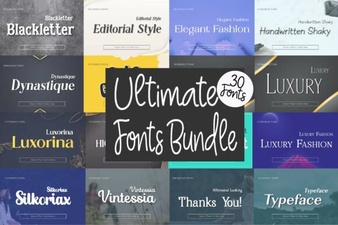 Design Projects with Unlimited Creative Font Bundles
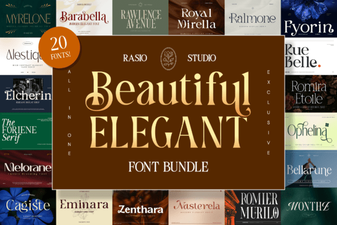 Graceful Typography for Design Projects & Branding
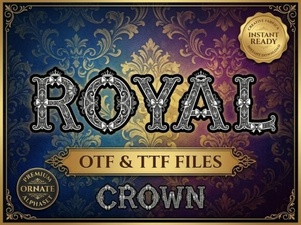 Choose the Perfect Royal Font for Your Design Project
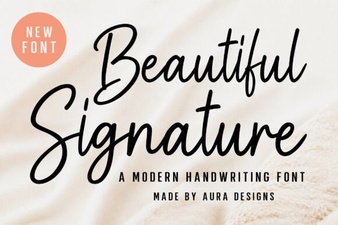 Signature Fonts for Creative Projects & Design
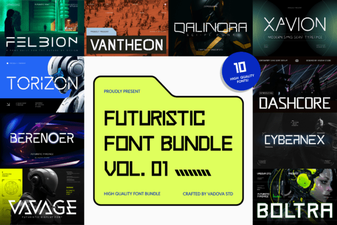 Elevate Designs with Futuristic Bundle Vol.01 Font
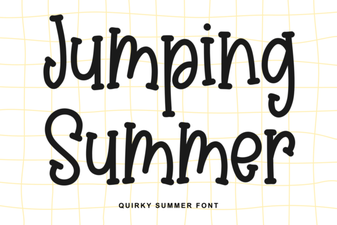 Jumping Summer: Fun Fonts for Creative Projects