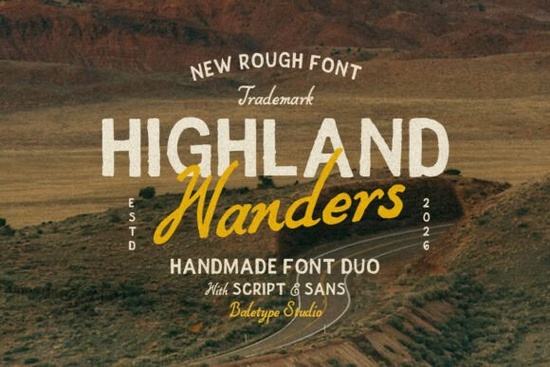
If you are working on a project that needs a bit of rustic character without losing legibility, the Highland Wanders font duo offers exactly that. This set combines a rough hand-drawn sans-serif with a flowing italic script. Together, they provide a balanced typographic look that feels personal yet professional. Whether you are creating merchandise for small businesses or designing a custom wedding invitation, this font supports multi-language characters and delivers a consistent aesthetic.
What makes this duo suitable for branding?
Designers often struggle to find a pair that complements each other perfectly without looking mismatched. A common mistake is mixing unrelated typefaces that clash visually. With Highland Wanders, the simple sans and italic script share similar stroke weights and ink textures. This consistency means they work together naturally in headlines and body text. You do not need to spend hours adjusting kerning or sizing just to make them sit right on the page. This harmony is essential for branding elements like logos, social media headers, and packaging labels where readability matters as much as style.
The rough texture adds a "handmade touch" that mass-produced digital type often lacks. For print-on-demand sellers, this distinction is valuable. Customers looking for artisanal goods expect designs that appear unique. Using this font signals that care went into the creation process. It works particularly well on t-shirts, tote bags, mugs, and paper goods like greeting cards or flyers.
How do you install and use this font?
Before starting a design, ensure you have the correct files installed on your computer. Typically, these packages come in OpenType (.otf) or TrueType (.ttf) formats. These versions support standard operations in Adobe Photoshop, Illustrator, Inkscape, and Canva. After unzipping the file, locate the font file and double-click it to preview it. Once confirmed it looks good, click install. If you are on Windows, right-click the file and select Install. On macOS, open Font Book and drag the file into the library. Remember that some design software requires restarting after installing new fonts to recognize them.
Licensing is another important step. While this font is great for many purposes, always check the End User License Agreement (EULA) before selling printed items. Most Creative Fabrica licenses allow for Personal and Commercial use on physical products sold up to a certain number of units. Some plans even cover POD services. Understanding these terms protects you from future legal issues down the line.
Are there similar styles if this isn’t quite right?
Sometimes a specific texture or stroke width is exactly what you need. If you want something slightly more polished, you might explore Crisp Edge. It maintains a modern edge while keeping a handcrafted vibe. Alternatively, if you prefer a warmer, coffee-shop atmosphere, Katur Coffee provides a softer, organic feel suitable for cafe menus or lifestyle blogs. For projects requiring a rugged, outdoor appeal, check out Rain Jungle. It brings a tropical, wet look that pairs well with adventure-themed marketing materials. Finally, Nugget offers a chunky, friendly style that works excellently for children’s book illustrations or casual party invites.
Each of these resources offers different nuances of the "handmade" aesthetic. Comparing the weight and slant of these letters helps you decide which voice fits your message best. Sometimes swapping from a heavy script to a lighter sans changes the entire mood of a composition.
Does the script pair well with standard text?
One common question is whether the italic script holds up at small sizes. In this collection, the handwriting style remains clear even when scaled down for labels. However, large display text usually benefits from the script the most. Try using the sans-serif for long paragraphs of information to maintain readability, and reserve the script for titles, signatures, or accent quotes. Mixing these roles guides the eye through the layout effectively. It prevents the viewer from feeling overwhelmed by decorative elements while highlighting key messages.
- Legibility: Test your font at the size it will appear on the final product.
- Contrast: Use light backgrounds with dark text for maximum impact.
- Spacing: Add slight letter spacing to improve clarity on rounded surfaces.
What checklist should you follow before launching?
Preparing a design file for production involves more than just placing text on an image. A quick pre-flight check can save you from costly reprinting errors. First, confirm that all images used in your layout are high-resolution (usually 300 DPI for print). Next, outline your text shapes in vector programs to ensure the font renders correctly even if the client does not have the font installed. If you are sending files to a POD provider, remember that some require CMYK color modes for accurate printing colors.
- Verify Licensing: Check if your account tier covers commercial sales.
- Proofread Text: Hand-drawn fonts can obscure tricky letters like 'e' or 'l', so read carefully.
- Check Color Profiles: Convert RGB designs to CMYK if sending to a printer.
- Save Layers: Keep editable versions of your PSD or AI files for future adjustments.
By following these steps, you ensure your creative output remains professional and error-free. This font duo saves you time on design decisions, allowing you to focus on the bigger picture of your project goals.
Download Now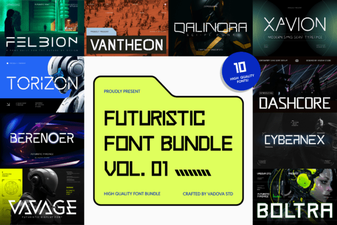 Elevate Designs with Futuristic Bundle Vol.01 Font
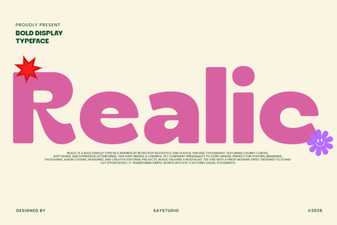 Realic Font: a Clean Modern Design for Projects
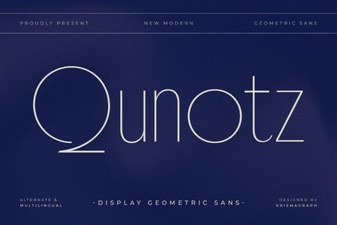 Explore Fonts: Qunotz in Design & Creative Projects
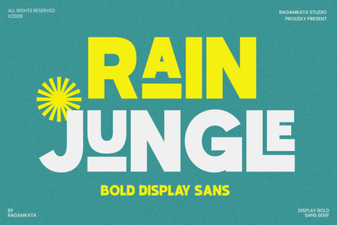 Rain Jungle Font: Creative Uses for Designers
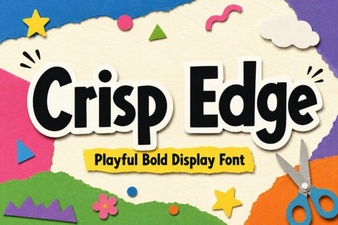 Modern Project Ideas with Crisp Edge Fonts
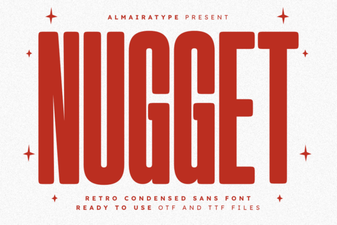 Nugget Font: Craft Bold, Creative Typography